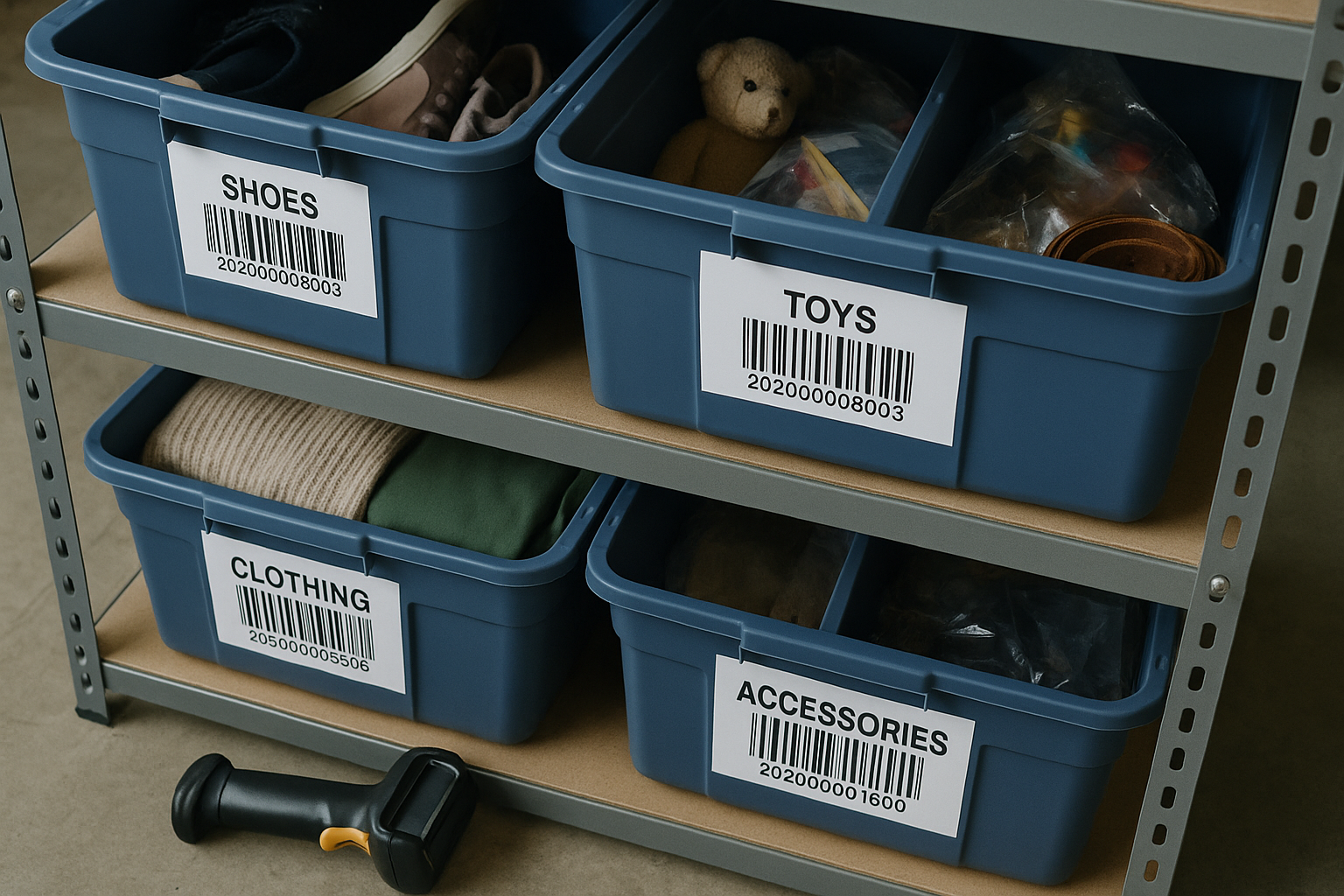
A SKU-to-bin location system for resellers works when every SKU maps to exactly one physical location, that mapping lives somewhere searchable in under 10 seconds, and the map updates the moment an item moves. Get those three things right and you can scale from 50 items to 5,000 without losing a single sale to "I can't find it."
Most resellers don't start here. They start with a pile, then a few bins with sticky notes, then a spreadsheet that's supposed to track everything but only gets updated when someone remembers. That system works fine at 80 items. It falls apart hard somewhere between 300 and 600, right when volume finally makes the business feel real — and right when a missing item costs you the most: a sale you already made, a buyer waiting, and a refund you have to eat.
The failure mode: why "I'll remember where I put it" stops working
Memory-based location tracking scales linearly with pain and doesn't scale at all with volume. Here's the specific breakdown pattern we see across reseller operations:
- 0–100 items: Everything fits on one shelf or in a closet. You remember. No system needed yet.
- 100–400 items: You start using bins by category — "denim bin," "tees bin." Works until two similar jackets end up in the same bin and you're digging through 40 items to find one SKU.
- 400–1,000 items: A sale comes in. You know it's "in the jacket bins somewhere." That's now three bins and a 6-minute search. At 30 sales a day, that's 3 hours a week spent hunting, not packing.
- 1,000+ items: Without a real system, pick time per item climbs past 5 minutes, misship rates climb with it, and you start relisting items you already sold because you assumed they were gone.
The fix isn't more bins or better memory. It's a location system that's independent of who's doing the picking and how well they remember last Tuesday.
The three components of a system that actually holds
A SKU-to-bin map has three parts, and all three have to exist for the system to survive growth:
- A SKU that's unique and readable. Not a serial number you have to look up — a code that tells you something about the item at a glance.
- A bin/location code that's unique and physical. Every storage spot gets one code, printed and stuck to the bin or shelf, not just written on a lid that falls off.
- A lookup table that maps SKU to location, updated at the moment of movement — intake, relocation, and pull for shipping — not at end of day when you're trying to remember six moves from memory.
Miss the third part and the first two are decoration. The lookup table is the actual system. Everything else is just labels.
How to create a SKU-to-bin location system for resellers
- Design your SKU format first. A workable structure is category–brand–sequence, e.g., DEN-LEVI-0142 for the 142nd Levi's denim item you've logged. Keep it under 12 characters so it fits cleanly on small labels and doesn't get typo'd on entry.
- Design your bin/location code separately from the SKU. Use a shelf-row-bin format like A1-03 (shelf A, row 1, bin 3). The location code should never change even when the item in that bin does — it's an address, not an item ID.
- Print and affix physical labels on both the SKU and the bin. A $30 label maker or a sheet of pre-cut barcode labels beats handwriting every time — handwriting is where transposition errors and "was that a 1 or a 7" disputes start.
- Log the SKU-to-location pairing at intake, not later. The item gets a SKU, a photo, and a bin assignment in the same five-minute intake pass — see our intake photo system workflow for why this single-pass habit prevents most lost-item problems before they start.
- Update the location the instant an item moves. If you consolidate bins, relist a returned item into a different spot, or pull for a photo reshoot, update the map before you set the item down anywhere new. A location map that's accurate 95% of the time is functionally useless the 5% of the time you need it.
- Pull location codes into your pick list at time of sale. When an order comes in, the packer should see the bin code alongside the SKU and title — not have to look it up separately. This is the step that turns a spreadsheet into an actual operational tool instead of a filing cabinet.
- Audit a random sample weekly. Pull 10–15 SKUs at random and verify they're where the map says. Catching drift at 10 items a week is a 15-minute task. Catching it during a Black Friday order surge is a crisis.
Spreadsheet, barcode, or software — what fits your volume
The right tool for a SKU-to-bin system depends entirely on your monthly volume, not on what feels more "legit." Here's how the three common approaches actually perform at different scales:
| Method | Best volume range | Lookup speed | Failure point |
|---|---|---|---|
| Spreadsheet (manual entry) | Up to ~300 active SKUs | ~30–60 sec per lookup | Falls behind when multiple people update it, or when updates lag intake |
| Spreadsheet + barcode scanner app | 300–1,500 active SKUs | ~5–10 sec per lookup | Still single-user friendly at best; concurrent edits get messy |
| Inventory software with SKU-location fields | 1,500+ active SKUs, or any team of 2+ | Under 5 sec, searchable by SKU, title, or bin | Requires upfront setup time; overkill below a few hundred items |
The barcode system for small reseller inventory doesn't need to be complicated. A $60 handheld scanner, printed Code128 labels for both SKUs and bins, and a spreadsheet with a scan-to-cell setup gets you most of the speed benefit of full inventory software without the subscription. It's the right middle step for operations doing 300–800 items a month who aren't ready to migrate off spreadsheets entirely but are losing real time to manual entry.
Location mapping as you scale past a spreadsheet
The moment a spreadsheet-based system usually breaks is concurrent access — two people (or you and a part-time packer) editing the same location tab at the same time, overwriting each other's updates. If you've hit that point, three signs tell you it's time to move location tracking into dedicated inventory software rather than patching the spreadsheet again:
- You've had two or more instances in the past month of an item being pulled and shipped from a bin the sheet said was empty, or vice versa.
- Location updates are lagging intake by more than a day because whoever logs items doesn't have time to update the map in the same pass.
- You're running more than one storage location (home + storage unit, or two team members packing from separate shelves) and the sheet can't represent both without a workaround.
None of these are volume thresholds exactly — they're friction thresholds. A careful solo reseller at 1,200 items with rigid intake discipline can run a spreadsheet longer than a two-person team at 400 items with loose habits. Watch the friction, not just the item count.
Tie location tracking to condition, not just quantity
A location map that only answers "where is it" leaves value on the table. The same record that tells you Bin A1-03 holds SKU DEN-LEVI-0142 should also carry the condition grade you assigned at intake — Excellent, Very Good, Good, whatever it graded on Fabric Condition, Structural Integrity, Cosmetic Appearance, Functional Elements, and Odor & Cleanliness. When a return comes back, you're not re-inspecting from scratch; you're comparing against a documented baseline. When a buyer disputes a grade, you have a record tied to a specific bin, a specific date, and a specific photo — not a memory of "it looked fine to me." Condition data and location data solve different problems, but keeping them in the same lookup means one system instead of two half-systems that drift apart.
Try it on your next 50 items
You don't need to migrate your whole operation overnight. Pick your next 50 intake items, assign SKUs and bin codes using the format above, and log the pairing the moment each item hits a shelf. If a sale comes in during that window, time how long it takes to locate the item — that number is your baseline. FlipDesk's inventory module builds this SKU-to-bin mapping directly into intake, so location, photos, and condition grade live in one record instead of three separate systems fighting each other as you grow.