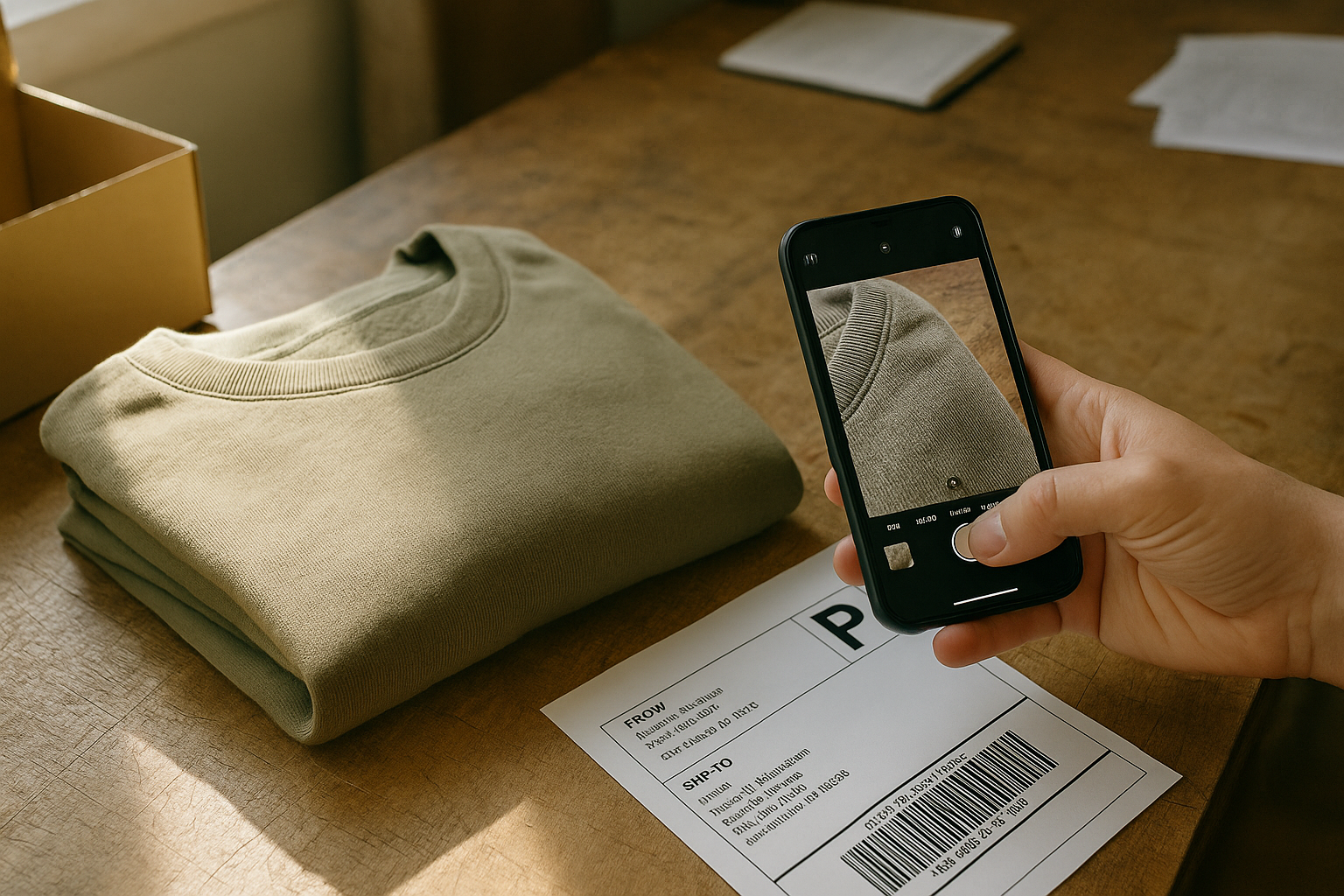
Your eBay item not as described return defense wins or loses on one thing: documentation you created before the item shipped, not after the buyer complained. If you photographed the garment's actual condition, wrote an accurate description, and can show both, eBay can side with you. If you can't, you're likely refunding and eating return shipping regardless of who's actually right.
The pattern in these disputes is consistent: sellers who lose almost always shipped without a documented condition record. Sellers who win have a paper trail that makes the dispute boring to review. This is that playbook, built for resellers moving 50 to 2,000 items a month. We can't guarantee any outcome, because eBay's reviewers make the call, but a clean record shifts the odds.
Why "Not As Described" Claims Win by Default
eBay's Money Back Guarantee is built to protect buyers first. When a buyer opens a return under "item not as described" (INAD), the usual outcome is that the seller pays return shipping and refunds in full. That's the policy, and fighting it means actively making a case, not just asserting you're right.
Silence loses. If you don't respond within the window shown in your Seller Hub, don't submit evidence, or send only vague objections ("it was accurately described"), eBay will generally resolve in the buyer's favor. Sellers who win show up with specifics: grade tier, defect location, and a photo timestamped before the label was printed.
Check your current exposure too. INAD returns and cases closed without seller resolution count toward your seller performance metrics, and eBay's thresholds and fee consequences change over time. Review the current standards in Seller Hub rather than relying on a number from a blog post, ours included.
The Documentation That Actually Wins Disputes
A photograph condition before shipping defense only works if the photos are unambiguous and dated. "I always take pictures" isn't a defense. A specific, repeatable capture routine is.
The minimum documentation set for every item you list:
- Full front and back on-form or flatlay shot, matching what's in the listing gallery.
- Close-up of every flaw you disclosed in the description: stain, pilling, seam gap, hem fray.
- Tag/label shot showing size and brand, which also proves you shipped the item you listed, not a swap.
- Close-ups of Functional Elements (zipper pulled up and down, snaps, buttons, elastic) so "doesn't work" claims have a counter.
- A shot of the item in the mailer or poly bag immediately before sealing, showing final condition at hand-off.
- The shipping label and carrier scan receipt, kept with the photo set.
Keep the original files, because the timestamp metadata is part of the proof. Re-saved or heavily edited copies can lose it.
Store these against the item's SKU, not loose in a camera roll. When a dispute lands three weeks after a sale, you need to pull the file in under a minute, not dig through 400 unsorted photos from that week's batch.
[Mockup placeholder: SKU record showing listing photos, defect close-ups, and pre-seal photo in one view]
Example of the time math: if you ship 300 items a month and 3% draw a condition dispute, that's 9 cases. At 25 minutes each hunting for photos, that's nearly 4 hours. With SKU-filed evidence at 3 minutes each, it's under 30 minutes. The numbers are illustrative, so swap in your own rates.
Step-by-Step: How to Respond When a Condition Dispute Lands
Follow this sequence the moment a return request hits your Seller Hub. Speed and order both matter, because eBay's response clock starts immediately.
- Open the return request and read the buyer's stated reason and comments in full before doing anything else.
- Note the exact wording, because it determines your response strategy.
- Pull your original listing photos and item description for that SKU.
- Compare them side by side with any photos the buyer submitted.
- Pull your pre-shipment documentation photos for that specific unit, matched by SKU.
- Decide which situation you're in: a defect you disclosed, a defect you missed, or a defect that didn't exist at ship time (transit damage or buyer-caused wear).
- Message the buyer through eBay's system within a few hours, citing the specific disclosure ("the pilling at the left cuff was noted in the description and photographed in image 4").
- If eBay opens a formal case or you're asked for a response, upload your pre-shipment photos and listing screenshots directly to the case as evidence, not just in buyer messages.
- If the claim is valid because you missed something, offer a partial refund proportional to the defect rather than fighting a claim you'll lose.
- Log the outcome, the refund amount, and the root cause against the SKU so the gap gets fixed.
Steps seven and eight are where most sellers lose points. A message that just says "the item was as described" gives eBay's reviewer nothing to work with. A message that cites the specific photo and description line gives them a reason to rule for you.
Also keep all communication on eBay's platform. Off-platform messages can't be used as evidence in a case.
Reading the Return Reason: What Each Code Actually Requires
Buyers select from a list of eBay return reason condition dispute categories. Exact labels shift over time, but each one calls for a different piece of evidence, not a generic reply.
| Buyer's Stated Reason | What It Usually Means | Evidence That Wins |
|---|---|---|
| "Item not as described" | Buyer claims condition, size, or material differs from listing | Matching pre-ship photo + description text showing the disclosed detail |
| "Item defective or doesn't work" | Functional Elements failure: zipper, button, snap, elastic | Pre-ship video or photo showing the element working, plus listing disclosure if pre-existing |
| "Wrong item sent" | Buyer says SKU/size/color mismatch | Tag/label photo tied to the SKU, packing slip, shipping manifest |
| "Smells or stained" | Odor & Cleanliness dispute | Pre-ship close-up of the area in question; note if odor was disclosed as none detected |
| "Item damaged" | Could be a Structural Integrity issue, could be transit damage | Pre-ship photo showing intact condition + carrier claim if damage occurred after hand-off |
Notice the theme: every reason is answered by a photo you took before the buyer touched the item. That's the entire defense in one sentence.
When to Fight and When to Fold
Not every dispute is worth contesting to the end. A strong eBay money back guarantee seller response protects your metrics and your money, but a fight you lose still costs you the refund and return shipping. Decide fast using three questions:
- Do I have a matching pre-ship photo of the specific area in dispute? If yes, fight it. If no, you're negotiating from a weak position.
- Was the flaw disclosed in text, not just implied by a photo? "Some pilling, see photos" beats a photo alone.
- Is the dollar amount worth the time? A $14 tee isn't worth an hour of case management. A $180 vintage jacket is.
Run the math before you decide. Say a $60 jacket sells, and the buyer claims INAD. Refund is $60, return shipping runs about $9, and you've lost the original outbound label too. A partial refund of $15 keeps the sale and saves roughly $54 against a full loss. That's an example, but the logic holds: a fair partial offer often beats a fight you might lose.
If you don't have the documentation, take the partial refund or return and move on. Then fix the gap in your photo process so the next one doesn't repeat.
Building the Habit That Prevents Most of These
Sellers with the lowest INAD rates grade every item against a consistent standard before it gets photographed, not after a buyer complains. That means knowing the difference between Very Good and Good before you write the listing, and checking the same five factors every time (Fabric Condition, Structural Integrity, Cosmetic Appearance, Functional Elements, and Odor & Cleanliness) rather than eyeballing it.
A garment graded Very Good with visible pilling disclosed in both text and photo rarely triggers a legitimate INAD claim, because the buyer saw it coming. A garment vaguely called "gently used" with no defect photos is a dispute waiting to happen. Fill in eBay's condition field and item specifics to match the grade too, so the structured data and the description tell the same story.
A documented grade (NWT, NWOT, Excellent, Very Good, Good, Fair, or Poor) tied to a timestamped photo set gives you exactly the evidence the table above requires, produced as part of listing the item rather than scrambled together after a case opens.
Try It Before Your Next Dispute Lands
You don't need a perfect system overnight. Start with your next ten items: photograph every flaw before shipping, write the disclosure into the description in plain text, and file both under the item's SKU. FlipDesk's Reconcile module keeps that documentation tied to each sale, so when a return request lands you're pulling evidence in seconds instead of digging through your camera roll. Grade one item the disciplined way and see how much faster the next dispute resolves.