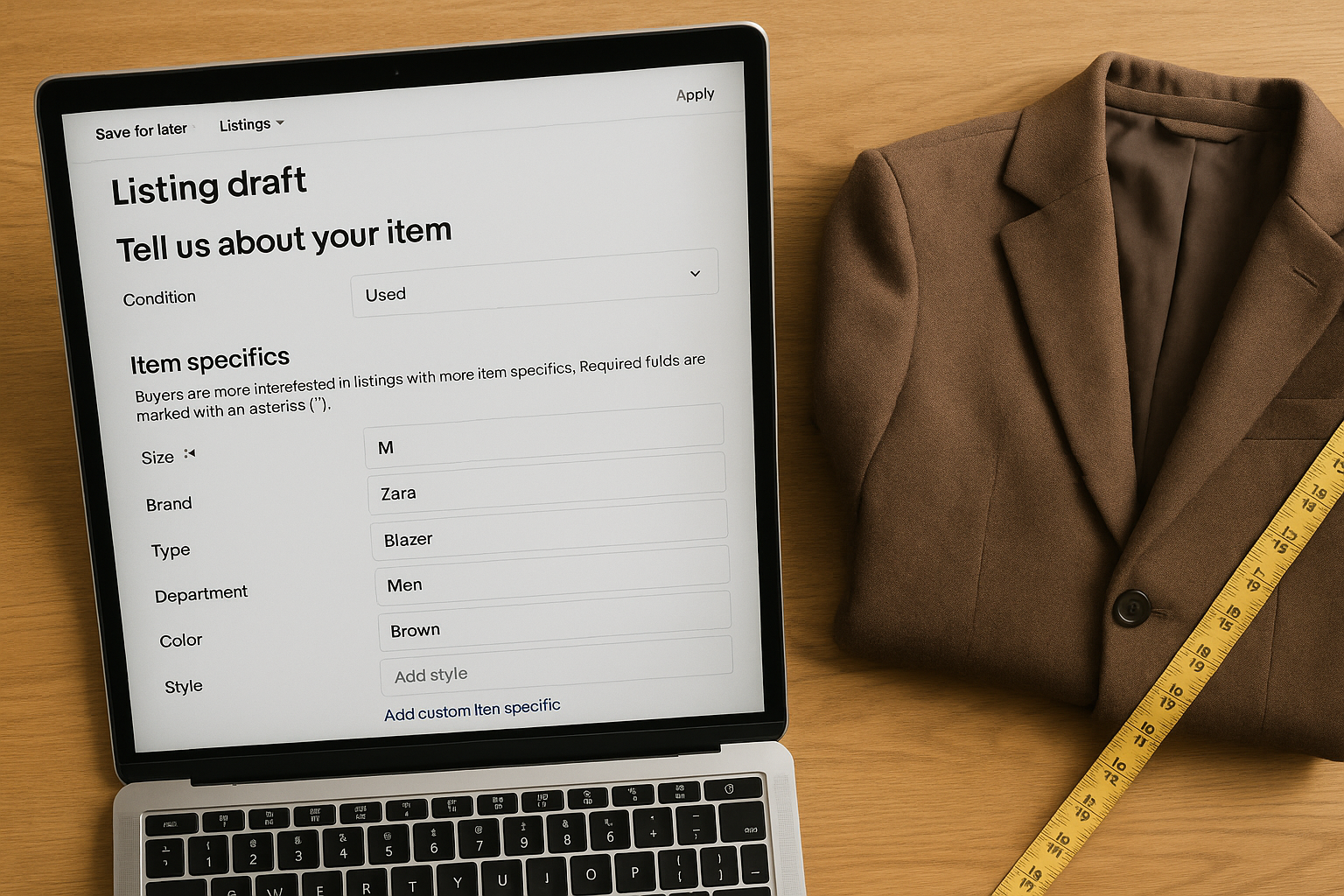
The Category Mismatch: How Wrong eBay Item Specifics Tank Your Search Visibility
If your eBay item specifics don't match the category and the way buyers actually filter search, your listing gets excluded from results before your title or photos ever get seen — not ranked lower, excluded outright. A blazer tagged Department: Men when a buyer filters for Women's Blazers never shows up, no matter how good your title is.
This is the failure mode nobody talks about when they complain about slow sell-through. Sellers obsess over the 80-character title and the twelfth photo angle, then leave Department blank, pick the wrong Type, or list a romper under Dresses because the dropdown was faster. Every one of those choices is invisible until you check impressions, and by then you've already lost weeks of exposure on an item sitting in your bin.
Why eBay Item Specifics Decide Whether You're Even in the Race
eBay's search and browse experience runs on two layers: the category you file under, and the item specifics attached to that category. When a buyer lands on a category page, they don't scroll — they filter. Size, Department, Color, Brand, Style, Material. Each filter is a hard boolean cut against your item specifics fields. Get the field wrong, leave it blank, or file the listing in a category that doesn't carry the filter a buyer expects, and you're gone from that result set. Not page three. Gone.
This matters more in clothing than almost any other vertical on eBay because clothing buyers filter aggressively. A buyer shopping for a women's leather jacket in a size medium isn't scrolling 4,000 unfiltered results — they're clicking Department: Women, Size: M, Type: Leather Jacket, and looking at maybe 80 listings. If your item specifics don't match all three, your listing never enters that pool, even if your title says "Women's Medium Leather Jacket" in plain English.
The Five Places Category Mismatches Happen
Most category and specifics errors cluster in the same five spots, listing after listing:
- Wrong Department. Unisex items get filed as Men's by default because that's the first dropdown option, cutting the listing out of every Women's search filter.
- Wrong top-level category. A structured blazer filed under Coats & Jackets instead of Suits & Suit Separates loses access to the Suit Separates-specific filters buyers actually use for that garment type.
- Missing or vague Type field. "Jacket" instead of "Bomber Jacket" or "Denim Jacket" means the listing misses type-specific filters entirely.
- Size Type left unset. Plus size, petite, and regular are separate filters. An item without Size Type set correctly is invisible to buyers filtering for plus or petite specifically — a segment with less competition and often better price realization.
- Color and Material left blank or generic. "Multicolor" instead of the dominant color, or no Material entry, drops the listing from two more filters buyers use constantly on apparel.
How to Audit Your Listings for Category and Specifics Accuracy
Run this checklist on any batch of active listings, especially older ones drafted before you tightened your process:
- Pull a list of your active listings and sort by lowest impressions-per-day using eBay's Promotions or Seller Hub Traffic reports.
- Open the lowest-performing 20 and check the category path each one is filed under — confirm it matches the most specific applicable category, not just a plausible one.
- Compare your Department, Size Type, Type, Color, and Material fields against a top-selling comparable listing in the same category to spot missing or mismatched fields.
- Search eBay yourself using the filters a real buyer would apply — Department, Size, Type, Color — and confirm your own listing appears in the result set.
- Correct any mismatched or blank fields directly in the listing; revise, don't relist, so you keep watchers and listing history intact.
- Re-check impressions after 5–7 days to confirm the fix moved the needle before touching the next batch.
- Build the corrected field set into your listing template so new listings in that category start right.
[Screenshot placeholder: eBay Seller Hub Traffic report showing impressions and click-through rate by listing, sorted lowest to highest.]
Category and Specifics Mismatches: What Buyers Never See
| What you listed | What's wrong | Filter that excludes it |
|---|---|---|
| Women's oversized blazer, Department left as "Unisex Adult" | Buyer filters Department: Women and never sees it | Department |
| Plus-size dress, Size Type left blank | Excluded from both Regular and Plus Size filtered searches | Size Type |
| Structured wool blazer under Coats & Jackets > Blazers instead of Suits & Suit Separates > Blazers | Misses category-specific filters buyers use for tailored pieces | Category path |
| Denim jacket, Type field set to "Jacket" | Excluded from Type: Denim Jacket filter entirely | Type |
| Green sweater, Color field set to "Multicolor" | Excluded from Color: Green filter even though it's a solid color | Color |
None of these mistakes show up in your listing preview. The title reads fine, the photos are fine, the price is competitive. The listing simply doesn't exist for a meaningful share of the buyers searching that category, because the fields behind the scenes don't match how those buyers search.
Where Item Specifics and Condition Grading Intersect
Condition is an item specific too, and it deserves the same accuracy standard as Department or Size Type. eBay's Condition field for clothing typically maps to New with tags, New without tags, Pre-owned, or similar — but the description underneath it is where sellers get loose, using their own adjectives inconsistently from listing to listing.
We use a fixed condition vocabulary for exactly this reason: NWT, NWOT, Excellent, Very Good, Good, Fair, Poor. Each tier maps to a consistent evaluation across five factors — Fabric Condition, Structural Integrity, Cosmetic Appearance, Functional Elements, and Odor & Cleanliness — so "Excellent" means the same thing on your 40th listing that it meant on your first. Buyers who see a consistent grading standard across your store are less likely to file a not-as-described return, and returns are their own visibility tax: high return rates suppress your listings in search over time, compounding the damage a category mismatch already did.
If your item specifics get a buyer to the listing, a mismatched or vague condition description is what loses the sale — or wins it, then reverses it three days later as a return. Getting both right is the same discipline applied twice: match the field to reality, every time, no exceptions for speed.
The Cost of Getting This Wrong at Volume
One mismatched listing is a rounding error. At 200 or 500 active listings, category and specifics drift compounds fast. A seller running 400 active clothing listings who has even 15% of them misfiled on Department, Size Type, or Type is running roughly 60 listings that are structurally invisible to a chunk of their buyer pool — not underperforming, invisible. That's not a pricing problem or a photo problem. It's inventory sitting in a warehouse of a search engine that never surfaces it.
The fix scales the same way the problem does: template your category and specifics decisions once per product type, apply the template every time you list, and audit on a schedule instead of only when sales slow down. Twenty minutes checking impressions-per-listing each month catches drift before it costs you a full selling season.
Try It on Your Next Batch
Before you list your next 20 items, run the audit checklist above on your last 20 published listings instead. You'll likely find at least one Department, Size Type, or Type field that's wrong or blank — and one fix like that can move a listing from invisible to found. FlipDesk's AutoLister applies your category and item specifics templates automatically across every listing you draft, so the mismatch doesn't happen batch after batch. Start with one product type and see what the template catches.